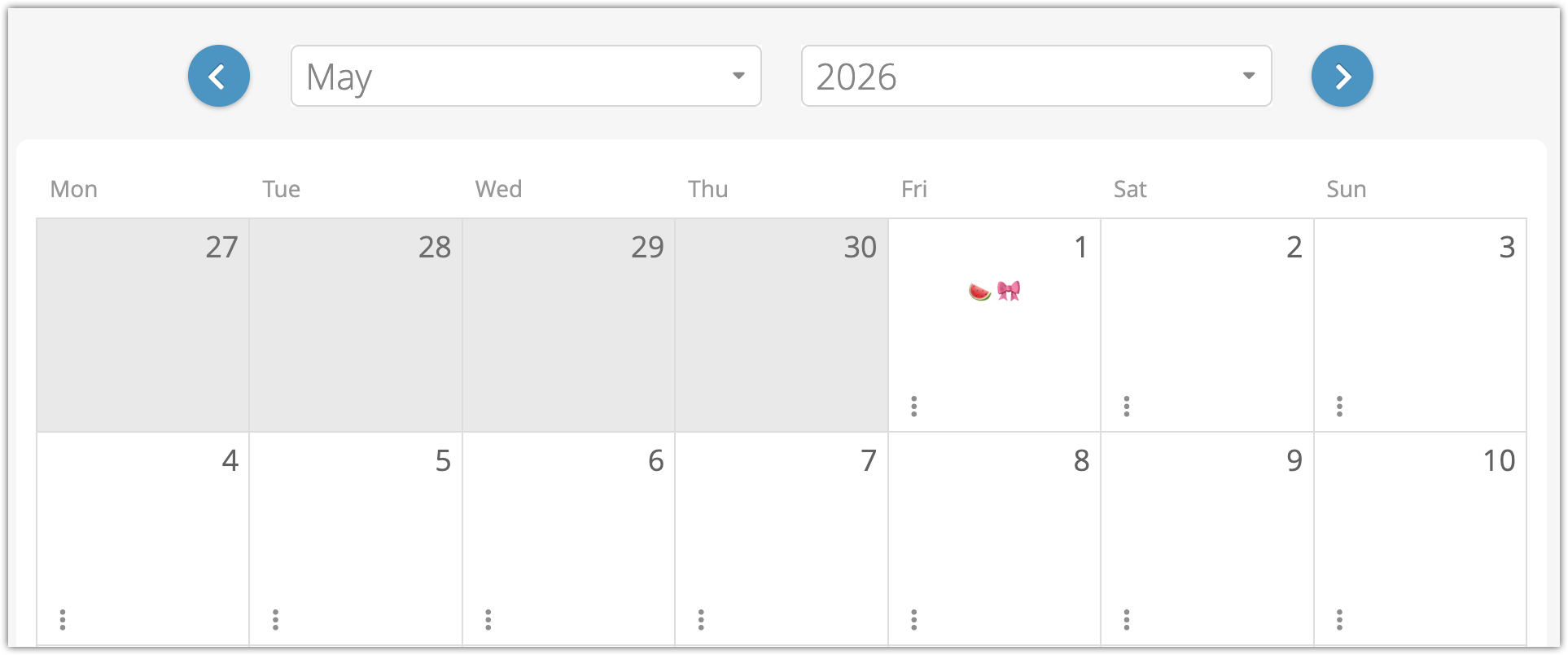


How to add flags to your booking calendar
Want to stay alert–or alert your staff–to anything important on a particular day? You can add flags to your booking calendar.
These flags are only shown internally, so you can use them to alert your team of anything you need to remember. Because they’re only icons, they’re meant to be used as a simple visual reminder of something your team can recognize at a glance. Booking comments are a better choice if you need to keep track of detailed information about your bookings.
To add a flag, go to Bookings > Calendar in the main menu.
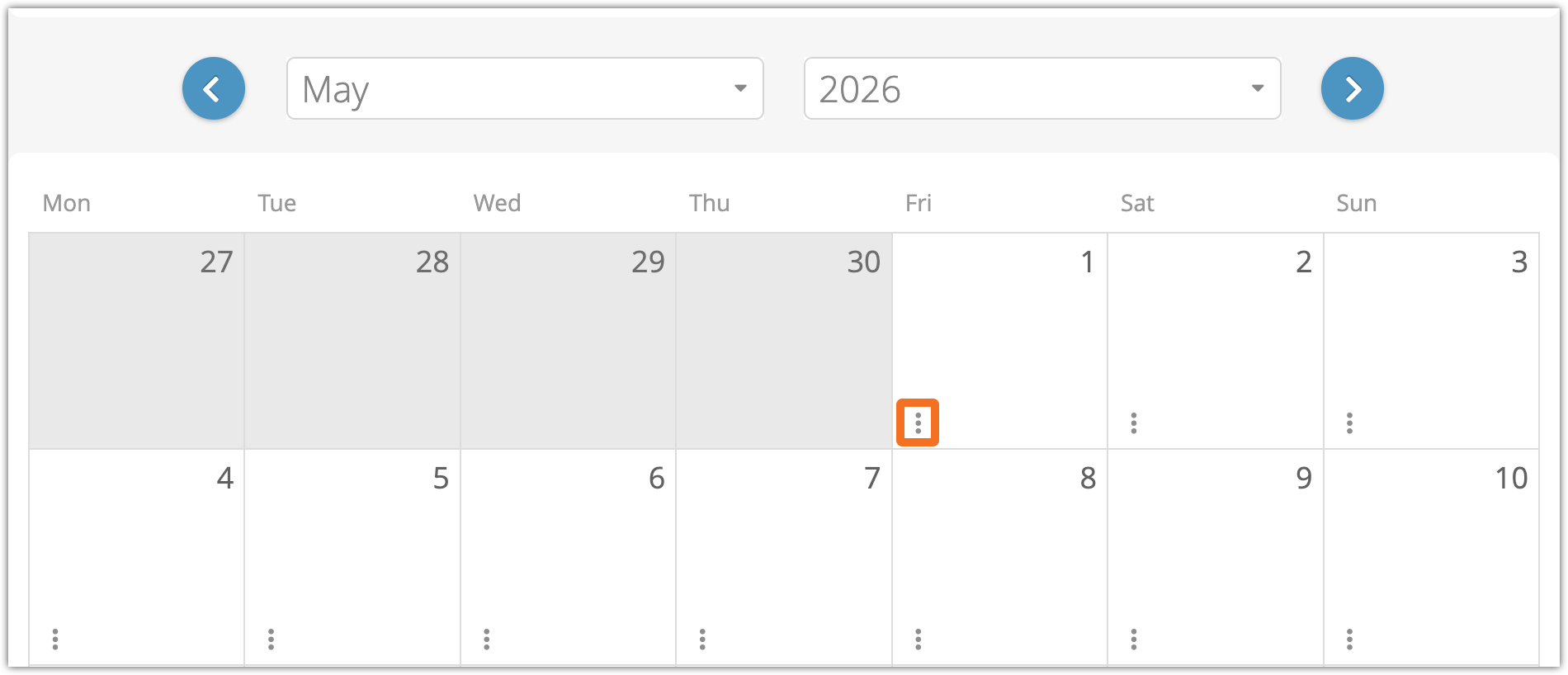
1. Click the action button on the bottom of any date on the calendar.
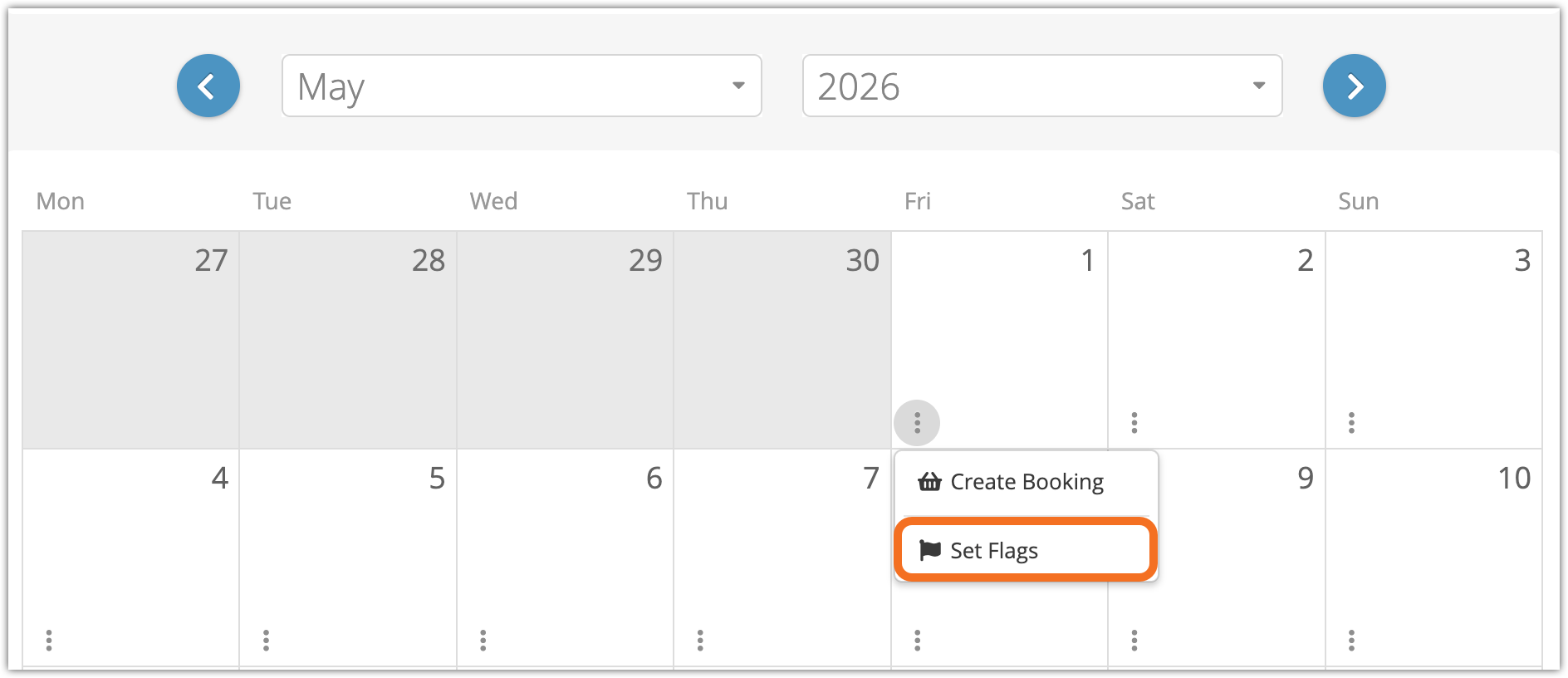
2. Click Set Flags.
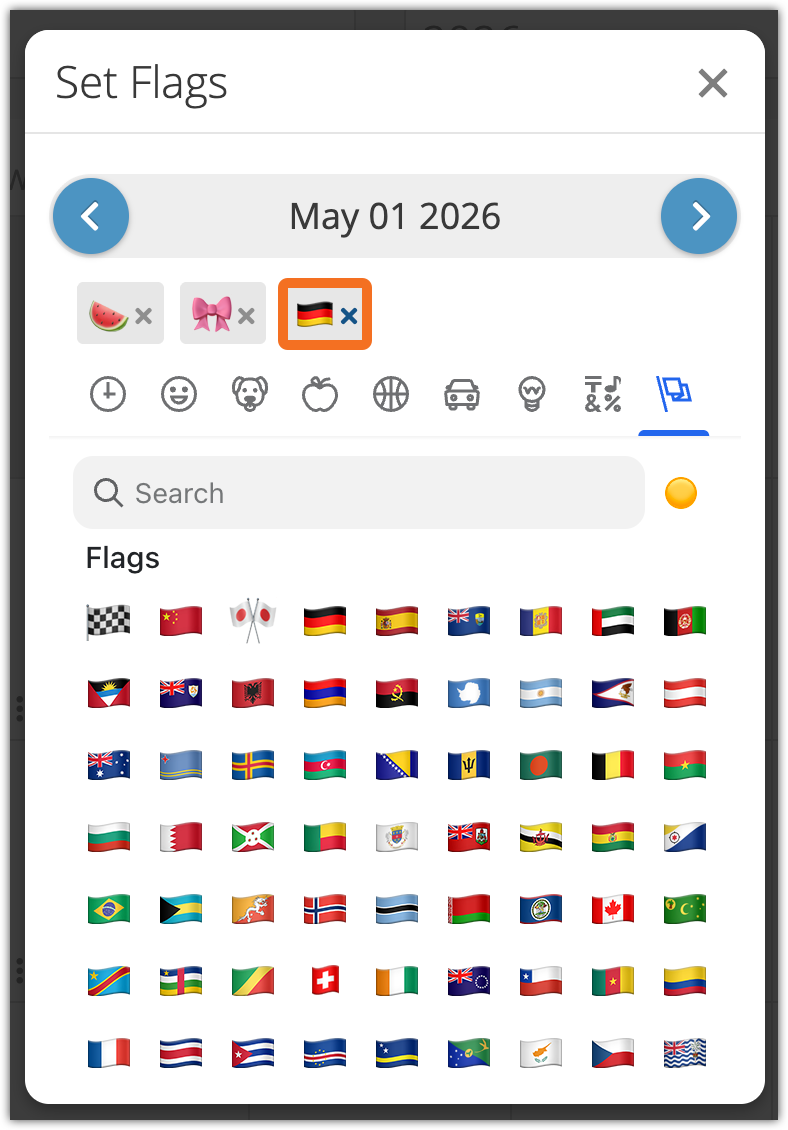
3. Click your icon of choice from the flag list.
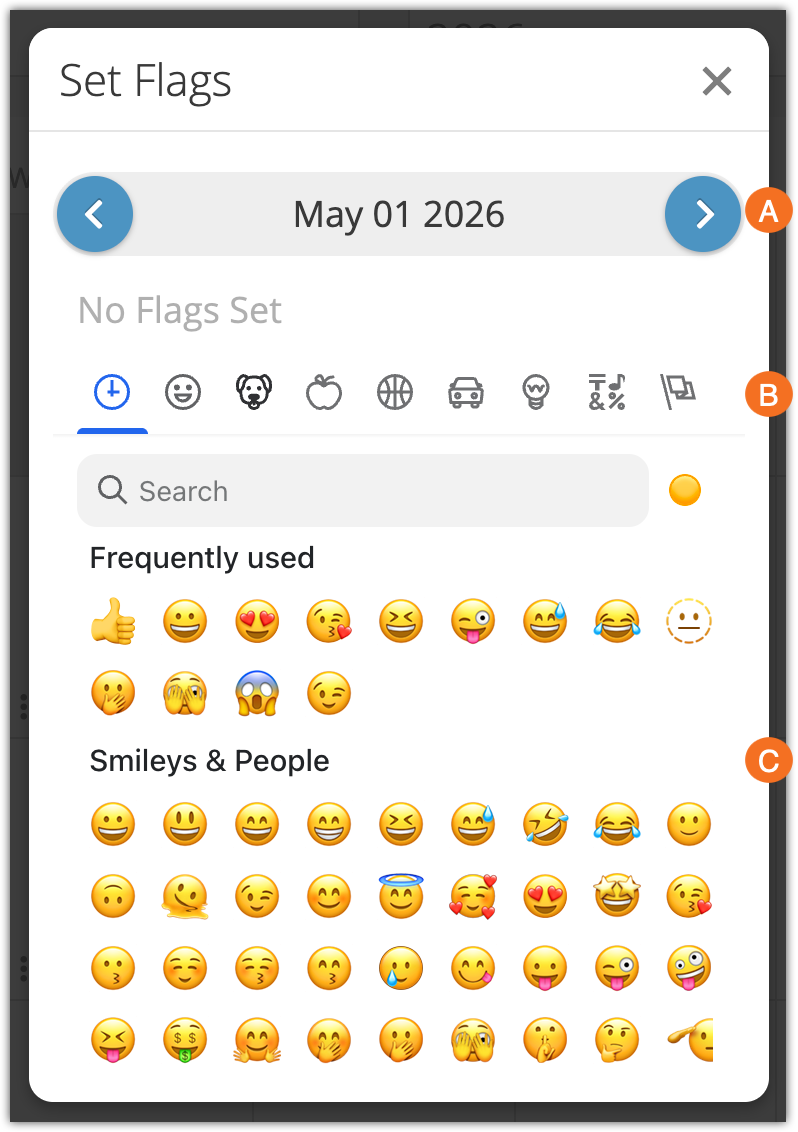
You can also click the back and forth arrows (A) to choose a different date, click the category icons to browse more easily (B) or enter a name in the search field to search for a specific flag.
After you’ve picked a flag, you can see what you’ve picked below the date in the Set Flag window. That’s also where you can click it to remove it:
Once you’re done, you can click off the Set Flags window to see your flags in use: