


Knowledge Base
How to edit or delete booking comments
Comments that have been added to bookings can be edited or deleted. If you aren’t able to edit or delete a comment, you may need to have that added to your account’s security permissions.
First, navigate to the booking’s details page.
Delete a comment
1. Click the action button next to the comment you want to delete.

2. Click Delete Comment.
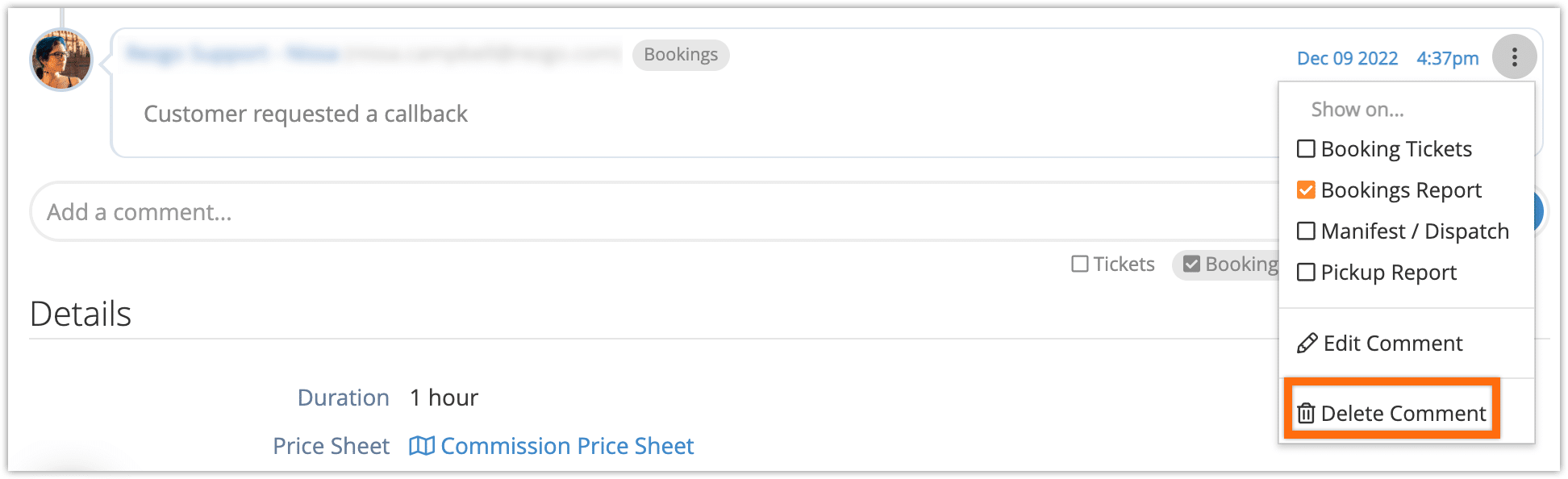
3. Click OK to confirm.
Edit a comment
1. Click the action button next to the comment you want to edit.
2. Click Edit Comment.
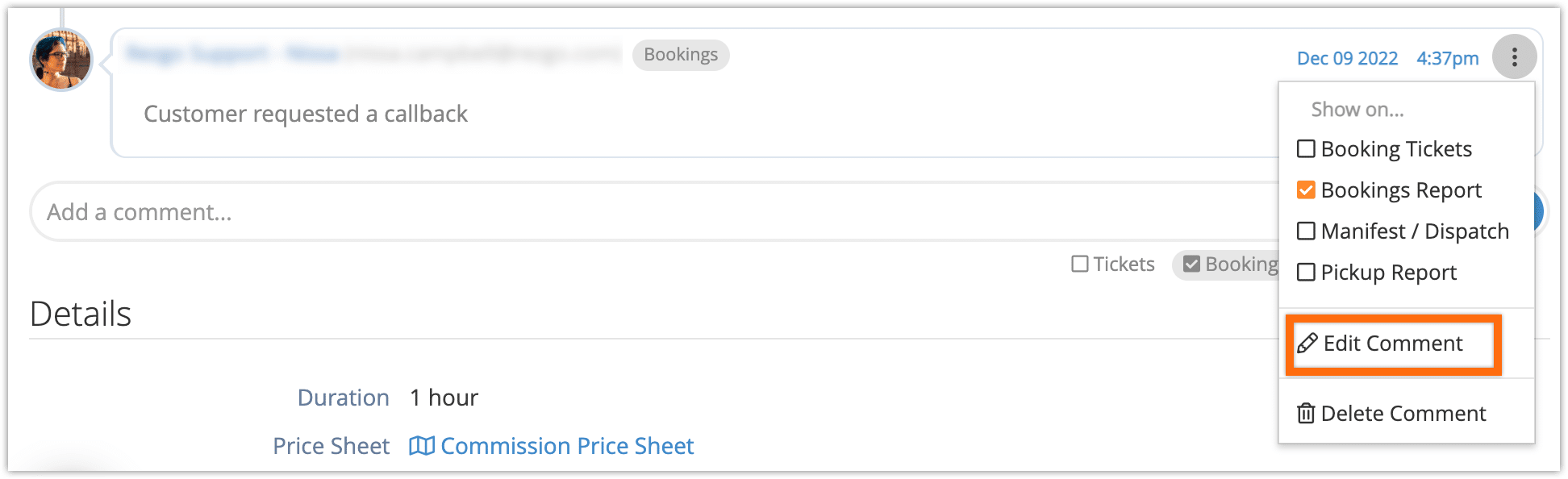
3. Edit your comment.
4. Click the green confirmation button.
