


Trust My Travel
Trust My Travel is a global payment gateway. The Rezgo integration allows for direct e-commerce payments through your Rezgo website and Rezgo POS / Back office.
Trust My Travel Integration Features
- Card Not Present/MOTO Transactions: No
- Preauthorization: No
- Refunds: Yes
- 3D Secure Support: Yes
- EMV Terminal Connection Through Rezgo: No*
*You can still take payment for Rezgo bookings with payment terminals. Learn how here or talk to our team for details.
Sign Up for Trust My Travel
To find out more about Trust My Travel and to apply for payment gateway or merchant services on the Trust My Travel website.
Set Up Credentials
Once your account has been created and approved, you will be provided the following credentials:
- Username
- Password
- Channel ID
Attach the Gateway to Rezgo
Copy and paste this information into your Rezgo account by following these instructions:
1. Go to Settings in the main menu and click Payments You Accept.
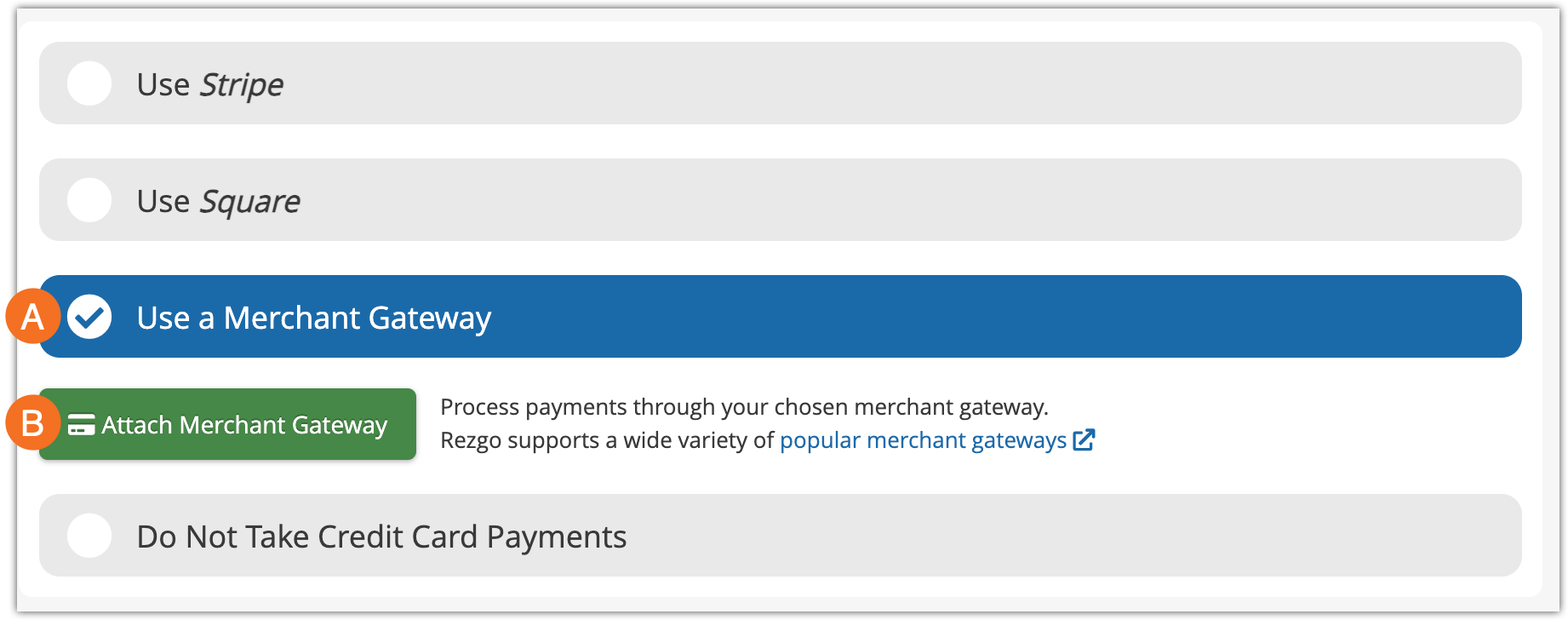
2. Click Use a Merchant Gateway (A) and then Attach Merchant Gateway (B).
3. Select Trust My Travel from the list of supported gateways.
4. Enter your Username, Password & Channel ID into the spaces provided. Select the credit cards you want to accept.
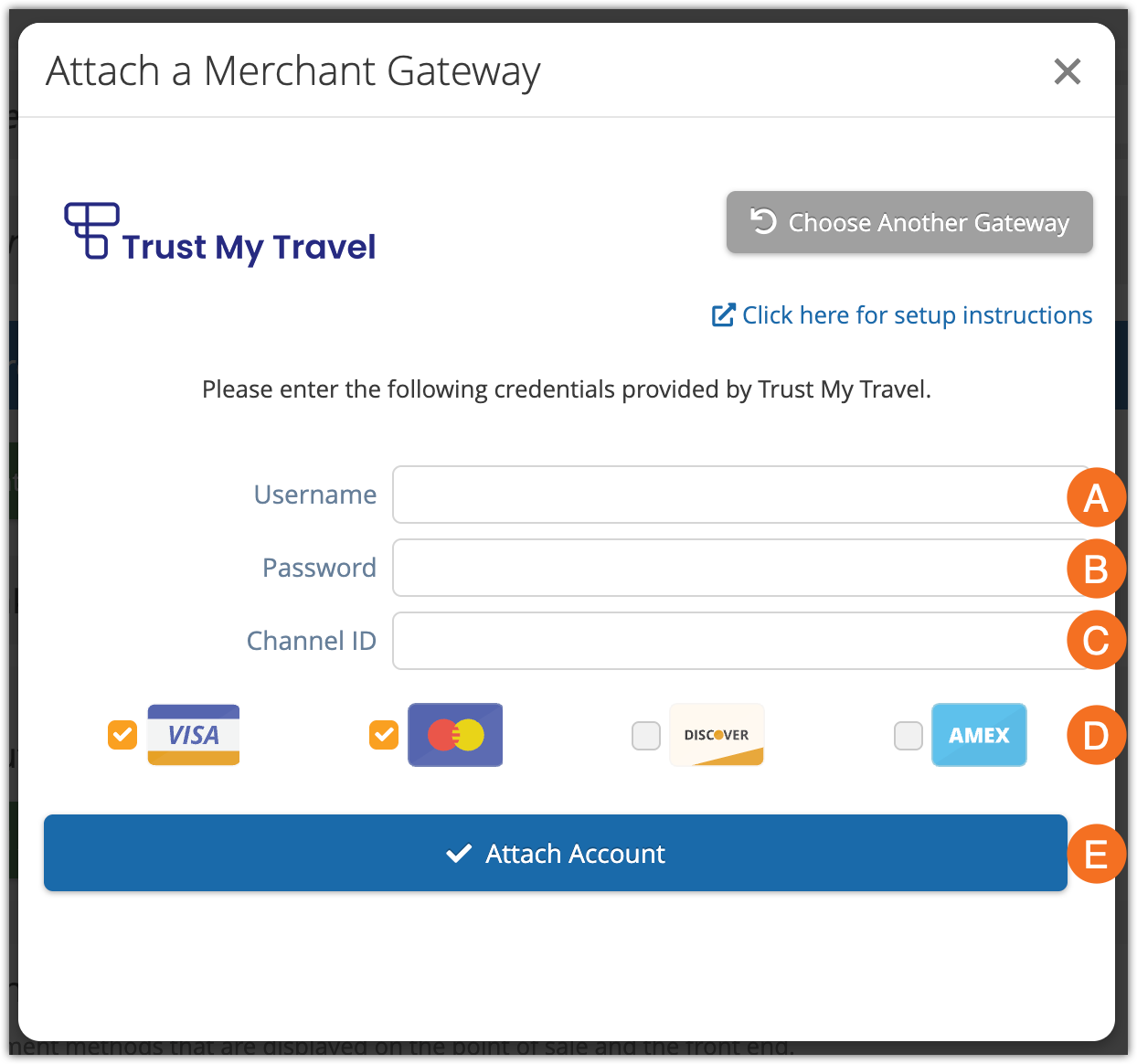
5. Click Attach Account .
If the connection succeeds, Rezgo will show a success message similar to this:
